Scenario 01 — Creating a product requisition
Goal: validate the creation of a Product requisition with a test supplier ("xpto supplier"), going through the flow up to the receipt/execution confirmation and the document review.
Steps
- Open a new Services and Products Requisition in Fluig;
- Fill in the requisition data with the test supplier and at least one Product item;
- Move the flow up to the receipt/execution confirmation activity;
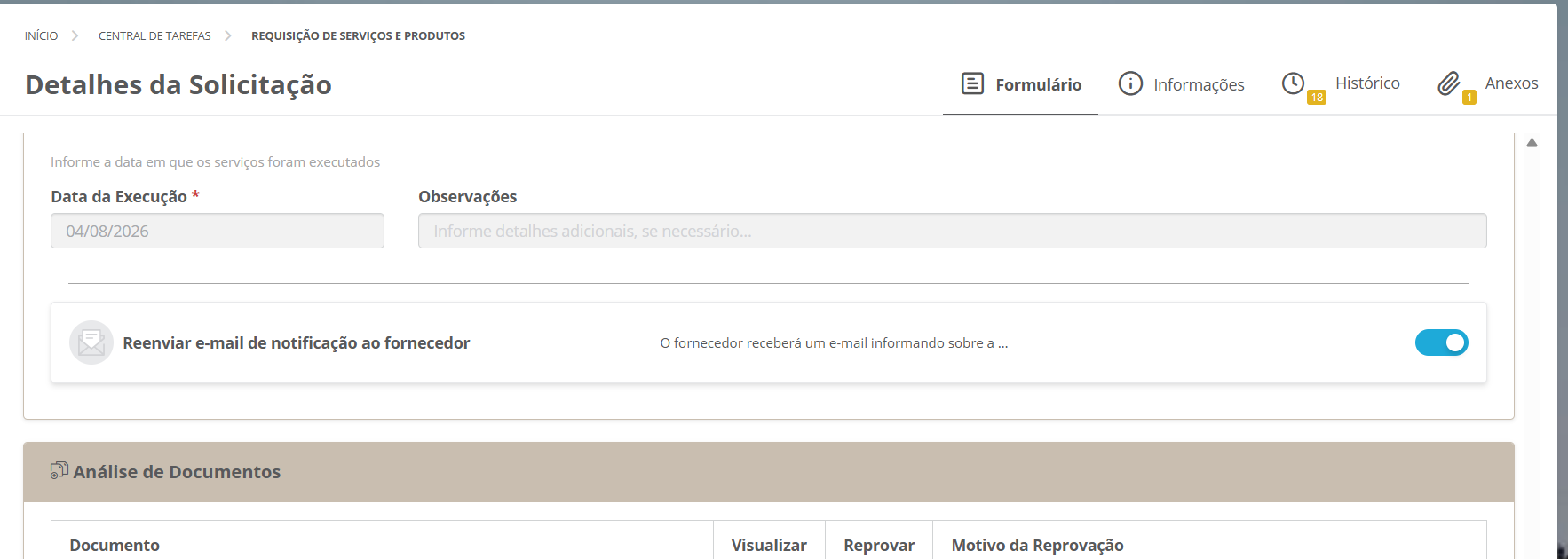
- Enter the Execution Date (required field) and, if needed, Remarks;
- Check the "Resend notification e-mail to the supplier" switch;
- Verify the Document Review section, with the columns Document, View, Reject, and Rejection Reason.
Observed result
The Request Details screen shows the confirmation activity with the execution date filled in, the e-mail resend enabled, and the document review table available: